Case Study: Designing with AI: Building a Fight Scoring App Through Vibe Coding
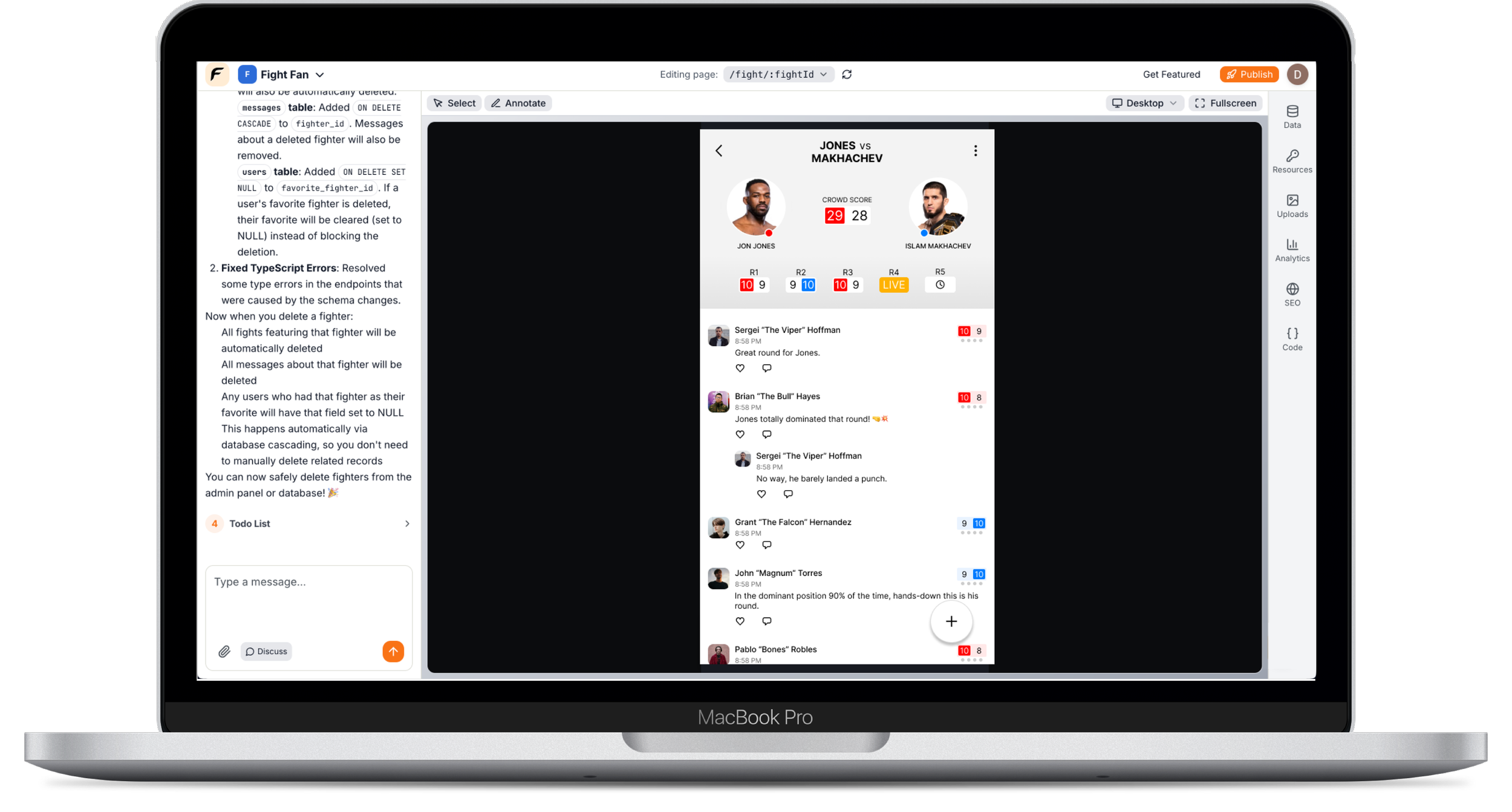
I designed and built a concept mobile app that allows MMA fans to score fights round-by-round and compare their scorecards with the crowd in real time. Created as a two-week solo project, it explores how AI-assisted development and “vibe coding” can accelerate the path from concept to working interface.
Role
Product design Information architecture. Interaction design
AI-assisted development (vibe coding)
Timeline
2 Weeks
Product Type
A concept mobile app that allows MMA fans to score fights round-by-round and compare their scorecards with the crowd in real time.
Team
Myself
The Prompt
When working with AI-assisted development tools, the quality of the output is strongly influenced by how clearly the problem and constraints are described. Rather than asking the system to simply generate a generic interface, I focused on describing the product goal and the specific interaction the interface needed to support.
In this case, the core experience of the product is live fight scoring. Fans need to quickly record a score for each round while actively watching a fight. That means the interface must be extremely simple, fast to use, and visually clear under time pressure.
I structured the prompt around three key elements: the domain (MMA judging), the core interaction (round-by-round scoring), and the usability requirement (speed and clarity during a live event). By framing the request around the user’s task rather than visual styling alone, the AI was able to generate UI structures that aligned with the intended product experience.
This approach reflects a broader shift in AI-assisted design workflows. Instead of producing static mockups first and translating them into code later, designers can describe the intended behavior of a product and iterate conversationally.
“Design a clean mobile UI for a fight scoring app similar to how MMA judges score rounds. Users should be able to quickly select a score for each round and see how the fan community is scoring the fight. The design should prioritize speed and clarity so fans can use it while watching the fight live.”
Project Motivation
I chose the concept of a fan-driven fight scoring app because it has clear real-time interactions, social engagement, and structured scoring logic. Also, I am a UFC fan and always wanted to build an app for fan scoring.
This made it a useful and interesting test case for exploring how quickly an idea could evolve into a working product using AI-assisted development.
Learning Objectives
How AI tools can accelerate product prototyping
How much UI can be generated vs designed
How conversational development changes iteration cycles
Where human design judgment still matters most
Designing the Experience
Designing the experience focused on creating a fast, intuitive interface that fans could use while actively watching a live fight. The goal was to minimize friction so users could quickly access an event, score rounds, and participate in the conversation happening around the fight. Each screen was structured to prioritize the most time-sensitive actions while still giving fans access to upcoming events and community discussions.
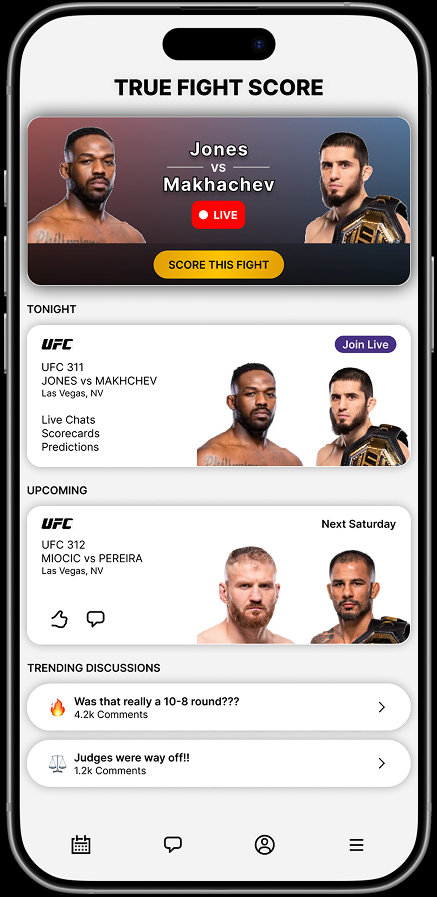
Home Screen
The home screen is designed to immediately orient users around what is happening right now. The primary card highlights the current live fight, allowing fans to jump directly into scoring with a single tap.
Below that, the “Tonight” and “Upcoming” sections provide quick access to the full fight card and future events, while also informing the users of features like live chats, scorecards, and predictions.
A trending discussions section introduces the community aspect of the app, surfacing active conversations about controversial rounds or judging decisions.
This layout ensures that the most important actions (watching, scoring, and discussing fights) are always immediately accessible.
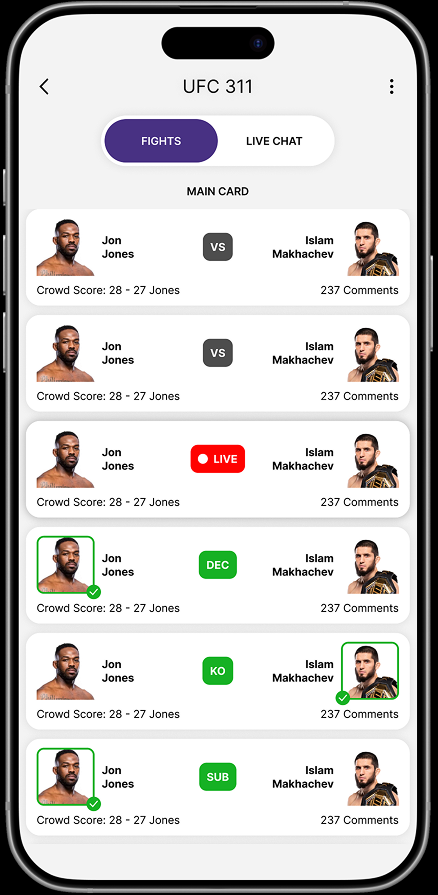
Event Details Screen
The event details screen organizes the full fight card for a specific event while giving users quick access to both scoring and discussion.
A segmented control at the top allows users to toggle between the list of fights and the live event chat, supporting the two primary behaviors fans engage in during an event: following the fights and discussing them in real time.
Each fight card presents the fighters, current status, and the crowd score generated by fan scoring within the app. Visual indicators such as “Live,” decision outcomes, and finish types (KO, submission) help users quickly understand the state of each fight, while comment counts highlight where active conversations are happening.
This structure allows fans to easily move between watching the event, scoring rounds, and participating in the broader community discussion.
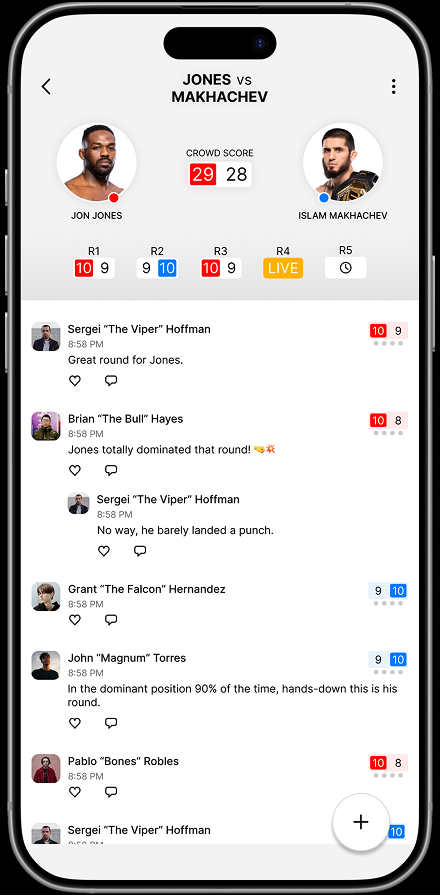
Fight Details Screen
The fight details screen brings together the two core experiences of the app: scoring the fight and participating in the conversation around it.
At the top of the screen, fans can see the current crowd score along with a round-by-round breakdown showing how the community has scored each round so far. Clear visual indicators highlight which round is currently live, helping users stay oriented during the fight.
Below this, a live discussion feed allows fans to comment on the action as it unfolds while also sharing their individual round scores.
This combination of scoring data and real-time discussion creates a shared viewing experience where fans can both record their judgments and engage with the broader community during the fight.
AI-Assisted Workflow
This project also served as an exploration of AI-assisted development and how emerging “vibe coding” workflows can change the way designers build products.
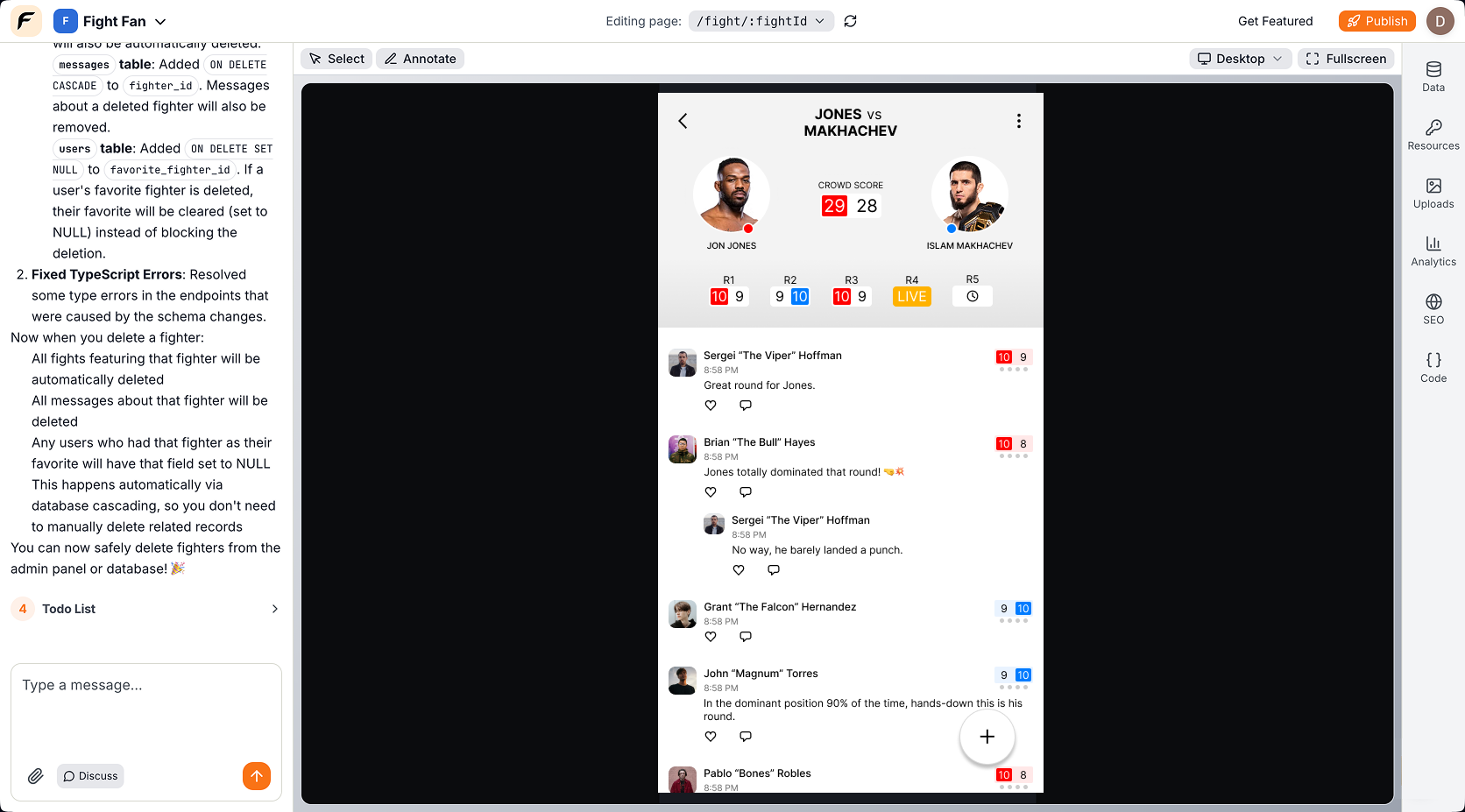
Instead of producing static mockups and handing them off for implementation, I worked conversationally with AI tools to generate UI structures, iterate quickly, and refine the interface in real time.
This approach allowed the product to move from concept to functional prototype much faster than traditional design-to-development cycles.
Lessons Learned
Speed of iteration increased dramatically: Ideas could be tested in minutes rather than days.
Designers can prototype full products: The boundary between design and development is shifting.
Design judgment remains critical: AI can generate UI quickly, but product coherence still depends on human decision-making.