Case Study: Agentic AI Chatbot
Overview
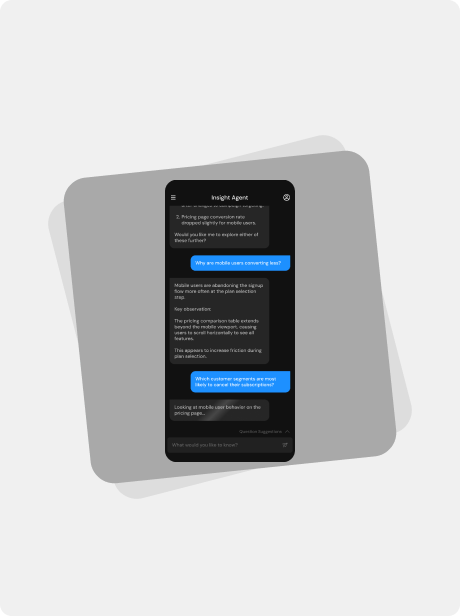
Modern enterprise software generates enormous amounts of data, yet many business users struggle to extract insights without technical expertise. Traditional dashboards require users to know what to look for, while AI assistants promise to surface insights conversationally.
Our team set out to design an Agentic AI assistant that could analyze enterprise data, run multi-step reasoning tasks, and present actionable insights in natural language.
The challenge was not simply building a chat interface. The key design problem was helping users trust and understand the agent's actions without overwhelming them with technical complexity.
Role
Lead UX Designer
Timeline
2 Months
Product Type
Agentic Chatbot for Enterprise
Team
Myself
VP Product Design
VP Engineering
Engineering Team
Product Management
Problem & Context
The Challenge
Business analysts and product managers often need answers like:
“Why did conversion drop last week?”
“Which customers are at risk of churn?”
“What factors correlate with higher revenue?”
Answering these questions usually requires:
Navigating multiple dashboards
Writing SQL queries
Running analytics models
Interpreting outputs
This process is slow and requires specialized knowledge.
The goal was to create an AI assistant capable of performing these tasks autonomously, while still allowing users to remain in control.
Understanding Agentic AI Behavior
Unlike standard chatbots, the assistant behaves as an agent performing tasks behind the scenes.
A typical query triggers multiple steps:
Interpret the user question
Identify relevant datasets
Select appropriate models
Run analysis
Synthesize findings
Generate insights
This raised an important design question: How much of this process should users see?
Designing Suggested Questions
Early usability tests revealed another friction point:
Many users didn't know what to ask the AI assistant.
Without guidance, they often asked vague questions like:
“What’s happening with sales?”
“Tell me about customers.”
These produced unfocused results and reduced trust in the system.
Solution: Suggested Questions
We introduced contextual suggested questions directly within the interface.
Examples include:
“Why did conversion drop last week?”
“Which customers are likely to churn?”
“What factors influenced revenue growth?”
These suggestions served three purposes:
Teaching the system's capabilities: Users quickly learned the types of questions the assistant could answer.
Reducing cognitive load: Instead of thinking of questions from scratch, users could simply select one.
Improving query quality
Pre-structured questions helped the system deliver more relevant insights.
Usage data later showed that over 60% of first-time interactions started with a suggested question.
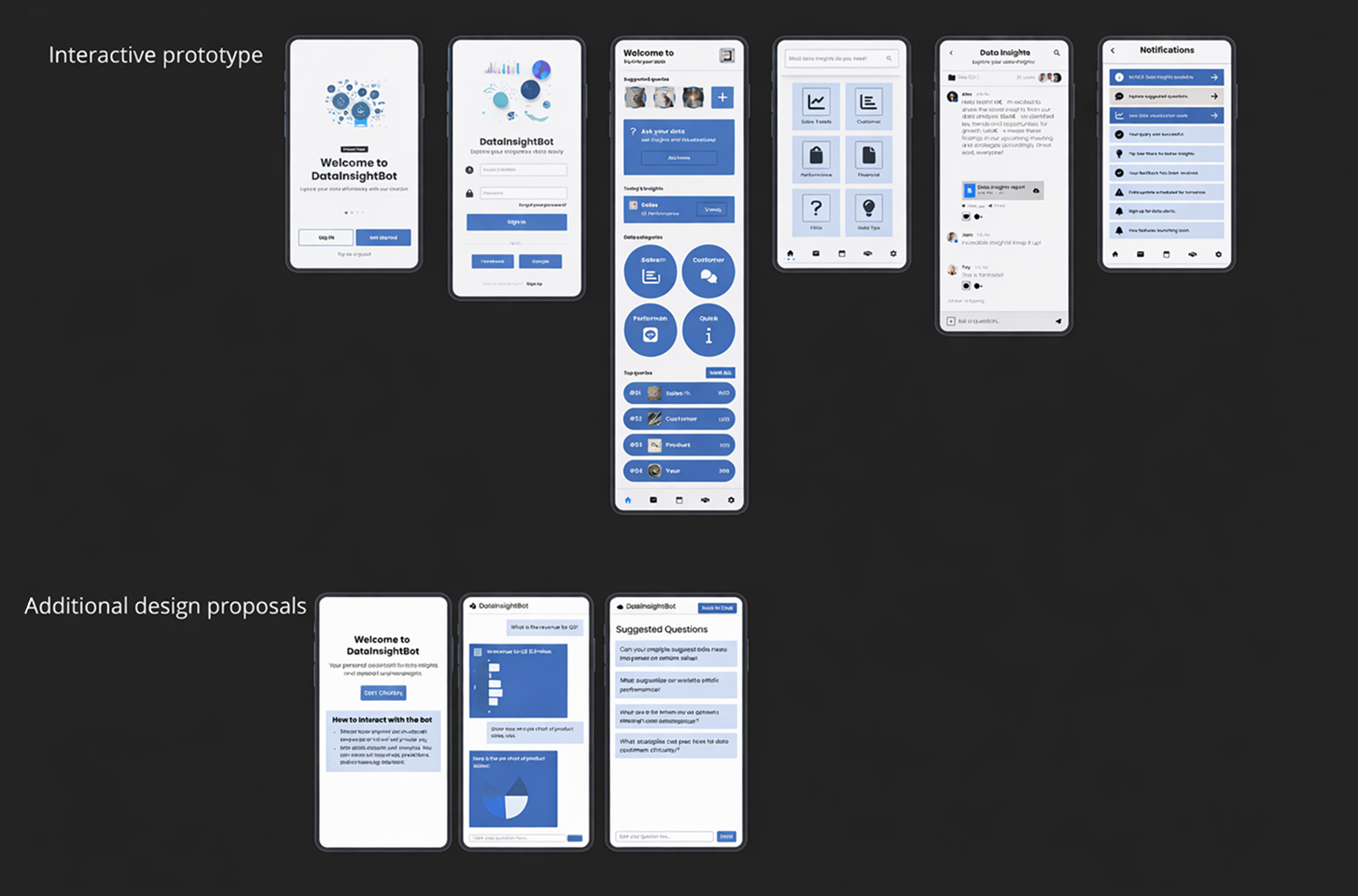
Rapid ideation using AI-assisted design tools
To explore multiple interface directions quickly during the ideation phase, I used the AI design tool Uizard to rapidly generate early UI concepts. Rather than committing to a single design approach too early, this allowed me to experiment with a variety of layouts, interaction models, and visual hierarchies in a short amount of time.
Using Uizard, I was able to quickly transform rough ideas into structured screen concepts and assemble a preliminary set of product flows. This accelerated the early design process and helped the team compare several possible directions before moving into more detailed wireframes and refined visual design. The process ensured we evaluated a broader range of ideas while keeping momentum during the early stages of the project.
Designing for Trust and Control
Because the assistant performs autonomous actions, we needed to reinforce that the user remains in control.
Key design elements included:
Clear system feedback: the interface shows when the agent is:
Thinking
Retrieving data
Running analysis
Interruptibility: users can stop the agent mid-process if needed.
Follow-up prompts: users can refine the assistant’s output using natural language.
Mobile-First MVP Strategy
The assistant was designed to work across desktop and mobile, but development timelines required a strategic MVP scope.
We had to decide which features were essential for launch and which could wait.
Features included in MVP
Conversational interface
Suggested questions
Agent activity feedback
Theme switching
Basic history of conversations
These features supported the core user workflow of asking questions and receiving insights.
Features deferred for later releases
Some advanced desktop capabilities required more time to implement.
Examples included:
Multi-thread conversation comparison
Advanced query editing
Data visualization customization
Collaborative sharing of conversations
By prioritizing the core experience, we were able to launch the assistant sooner while maintaining a high-quality interaction model.
The Final Product
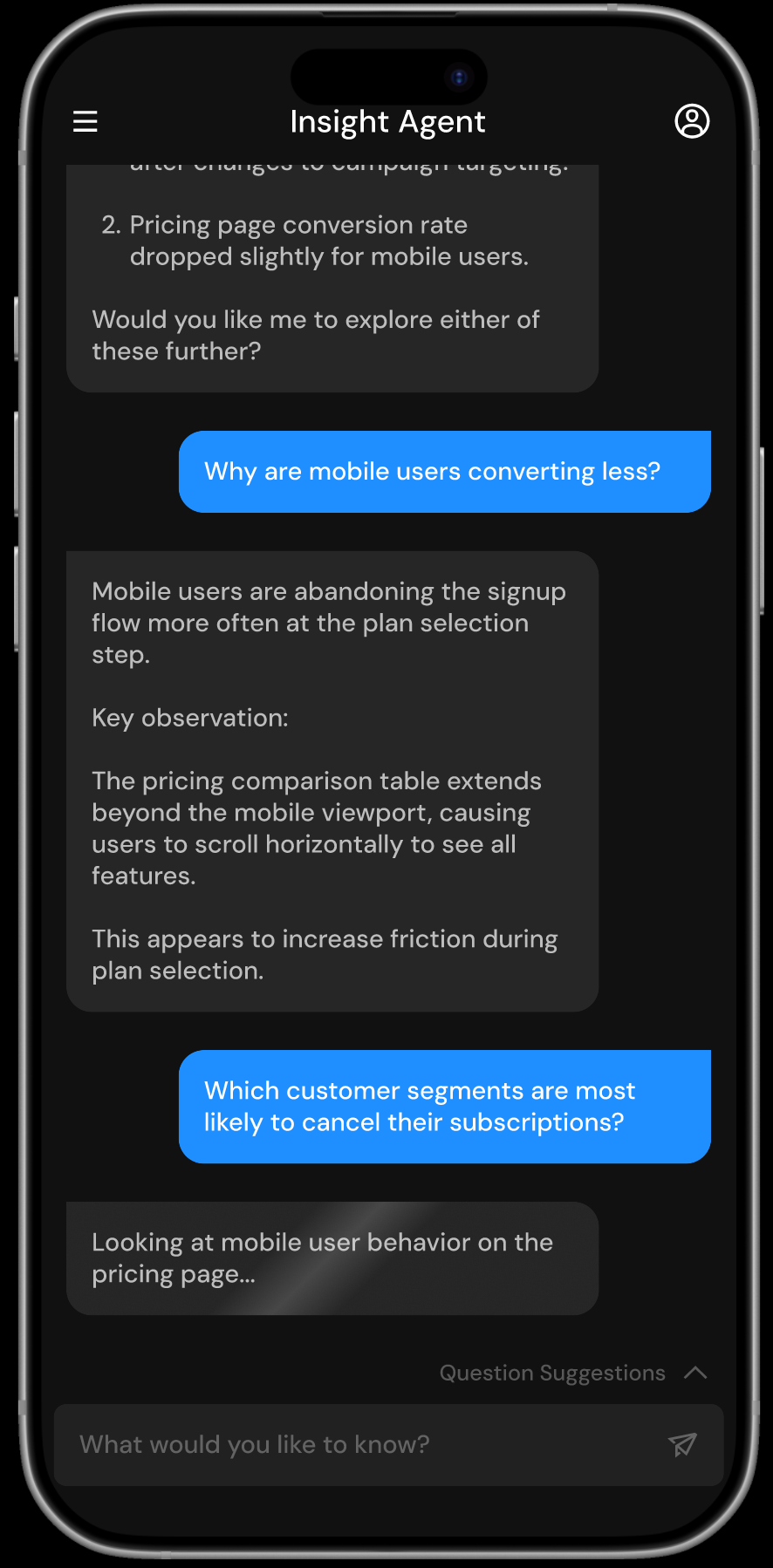
The final design presents Insight Agent as a conversational interface that allows users to explore complex data through natural language.
Instead of navigating dashboards or configuring queries, users can ask questions directly and receive insights supported by clear explanations.
Suggested follow-up questions help guide the conversation and encourage deeper exploration, while the interface communicates what the agent is analyzing in real time to build trust in the system’s reasoning.
Impact
Quantitative
58%
Reduction in time required for users to find key insights compared to navigating traditional dashboards.
Qualitative
“I like that I can see what the system is checking before it gives an answer.”
-Data Analyst
42%
Increase in successful first-time queries due to suggested questions guiding users toward effective prompts.
“The suggested questions helped me understand what kinds of things I could ask.”
-Marketing Manager
38%
Fewer follow-up clarification requests after adding agent transparency
“It feels more like collaborating with an analyst than using a tool.”
-Product Manager
Strategic Value
The Agentic AI Assistant transforms how teams access and interpret data across the organization by:
Allowing business users to explore insights through natural language instead of complex dashboards
Reducing the time required to identify patterns, risks, and opportunities in large datasets
Increasing confidence in AI-generated insights through transparent reasoning and explanations
Encouraging broader adoption of data-driven decision making across teams
Lessons & Future Improvements
If We Had More Time
Introduce richer data visualizations to help users better understand model results and patterns in the data
Allow users to adjust model rigidity and sensitivity to better control how strictly the model interprets patterns
Expand comparison tools so users can evaluate multiple models and training runs side by side
Add deeper in-product guidance explaining model behavior, assumptions, and performance metrics